
How to Skip the Line and Download With No Wait @ Fontshub.pro
- October 10, 2026
- Posted by: acasso
- Category: Web Design & UI/UX
You came for a font and got a countdown timer instead. Classic internet. Fontshub.pro is one of the good ones — a genuinely free font library with thousands of families you can download and use for free — but its download button likes to make you wait, and nobody has time for that.
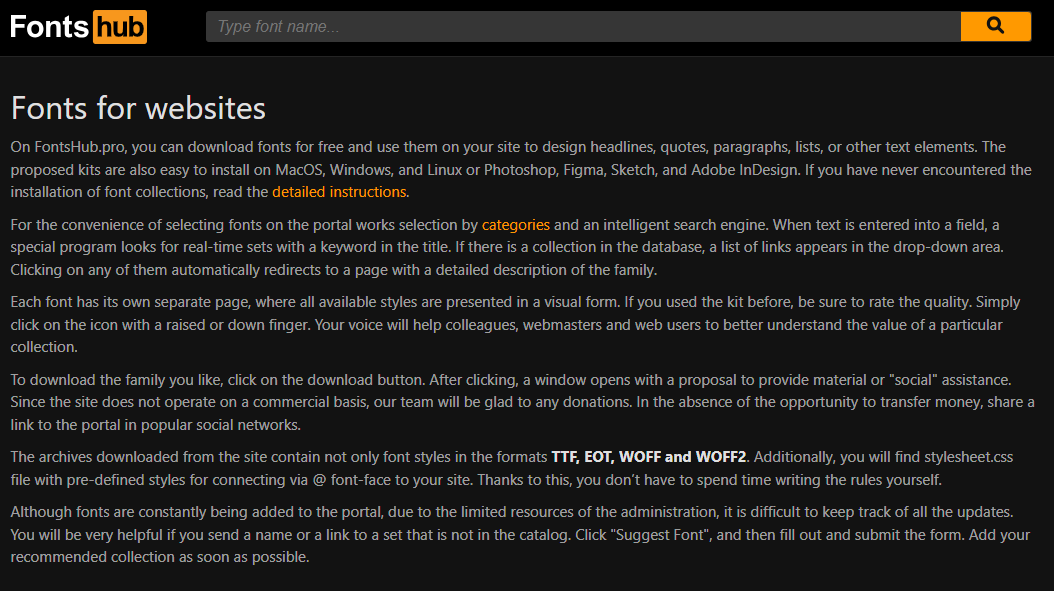
Here’s how the site works: type the font name into the search bar, open the font’s page, and you’ll get a big orange download button. No account, no email, no credit card, no “free trial that isn’t.” That part is genuinely refreshing.
Each font also comes with its own preview page that shows every style in the family, plus the TTF, EOT, WOFF and WOFF2 files and a stylesheet.css you can drop straight into @font-face. It’s a small thing that saves a very annoying step.
Then the polite hostage situation begins
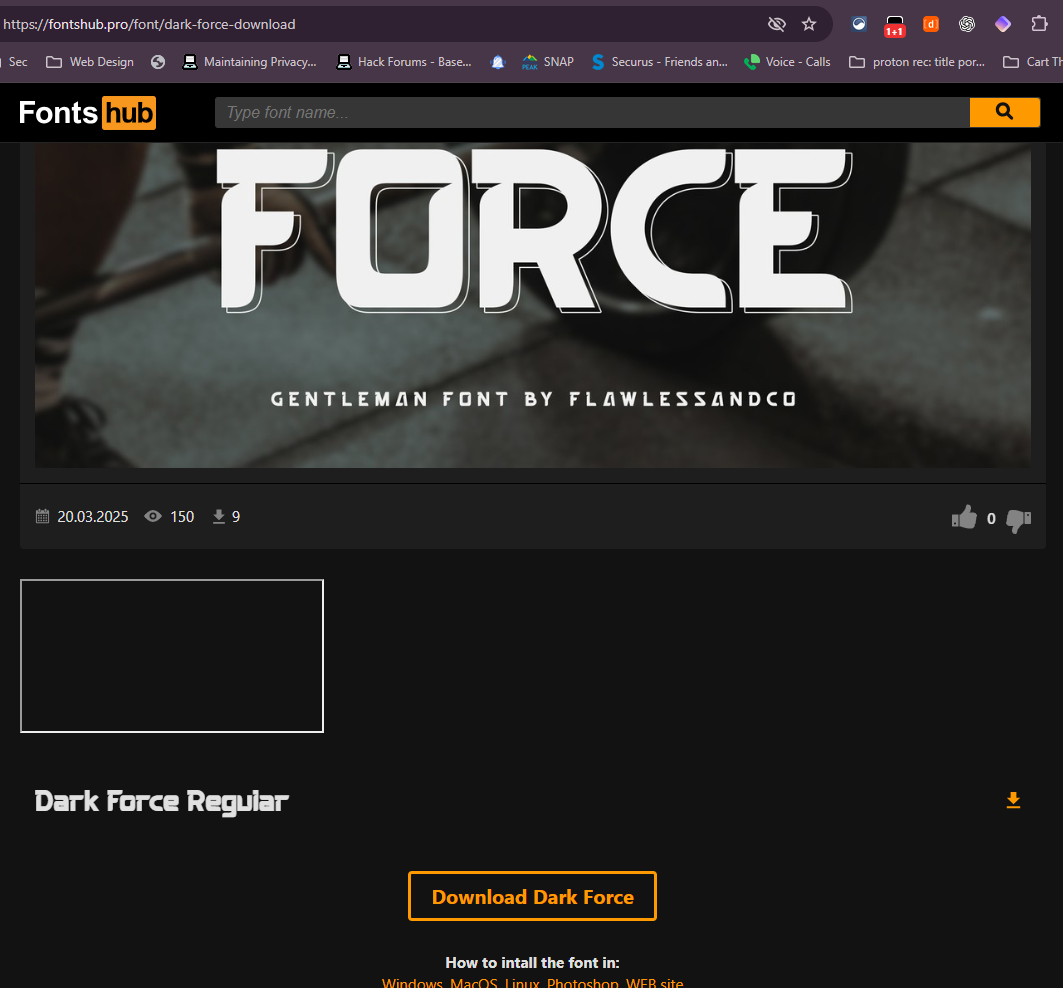
So you found your font — in this case Dark Force, a chunky gentleman of a display face — and you click Download Dark Force. Should be the end of the story. It is not the end of the story.
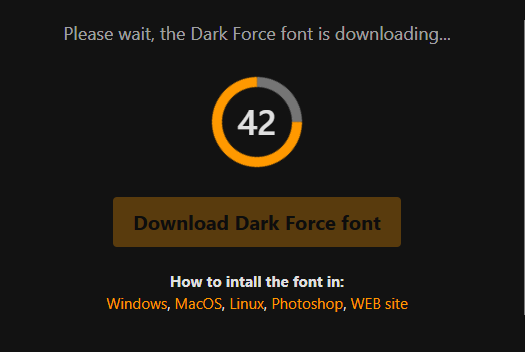
Instead of the file, Fontshub.pro hands you a waiting screen and asks you to “help the project” by sharing the link around. There’s a little timer counting down, and the download button below it stays locked until you play along.
To be fair to the site: that’s a fair trade for a free service, and sharing a link costs you nothing but a few seconds. If you’re a decent human who wants to support the project, absolutely do that.
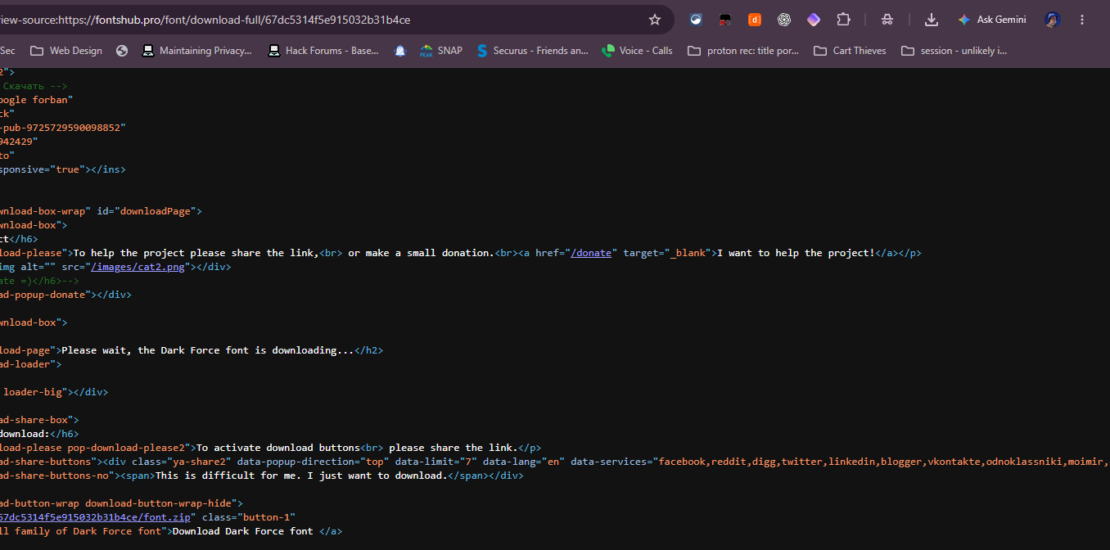
But here’s the thing — the delay is a client-side gate, not a real queue. The actual .zip file is sitting right there in the page source, waiting for you. You just have to know where to look, and that takes about thirty seconds.
Skip the line: the 30-second page-source trick
Step 1: Open the page source
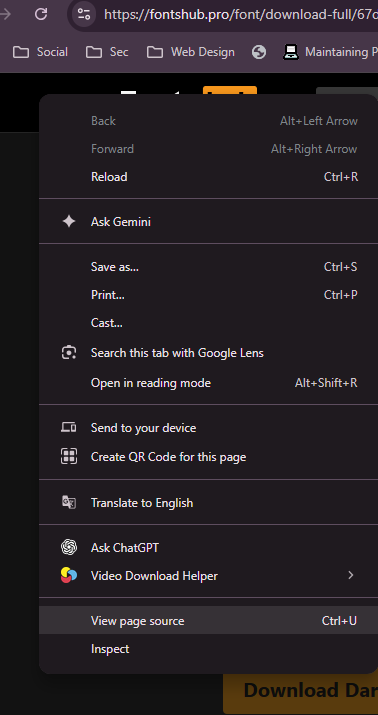
Right-click anywhere on the page and choose “View page source,” or just press Ctrl + U (on a Mac it’s Option + Command + U). A new tab opens showing the raw HTML of the page.
Don’t panic at the wall of markup. You’re not reading it — you’re using it as a phone book. Every download link the site knows about is listed in there, including the one that skips the timer.
Step 2: Find the .zip link
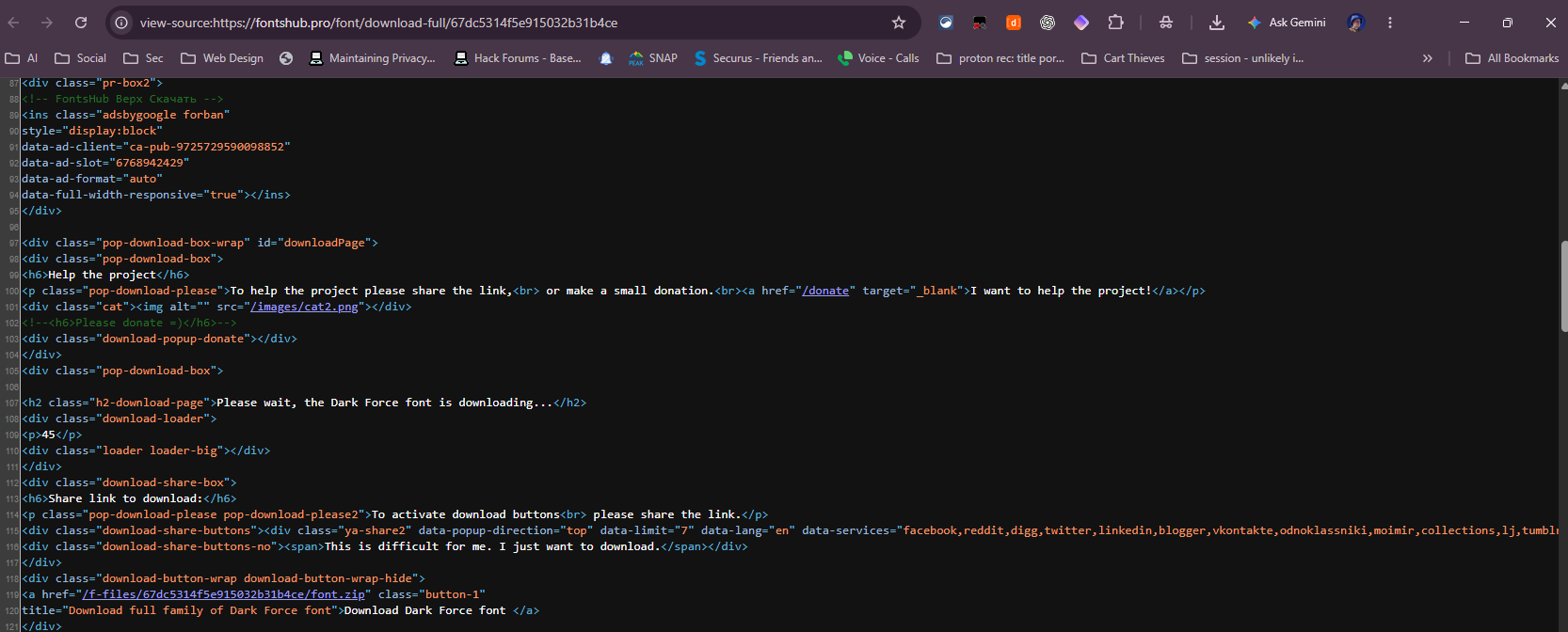
Press Ctrl + F, type “.zip” and hit Enter. You’ll land on a line that looks something like <a href="/F-Tiles/…/font.zip" class="button-l">Download Dark Force font</a> — that’s the real file, and that’s your shortcut.
Copy the link ending in .zip, paste it into a new browser tab and hit Enter. The download starts immediately: no countdown, no sharing, no waiting on a timer that resets the moment you look away from the screen.
Quick notes before you go
This works because the timer is theatre, not protection — the file was always downloadable directly, and the site’s own share-your-link plea is handled the same way. Use it for the fonts you actually need, and if the library saves you time, consider sharing the site or dropping a small donation. Free projects survive on that.
That’s it — find your font, open the source, search for .zip, and download like nobody’s watching. Your project gets the typeface, and your afternoon stays yours.